
Manual of product e-studio 353
Editorial note
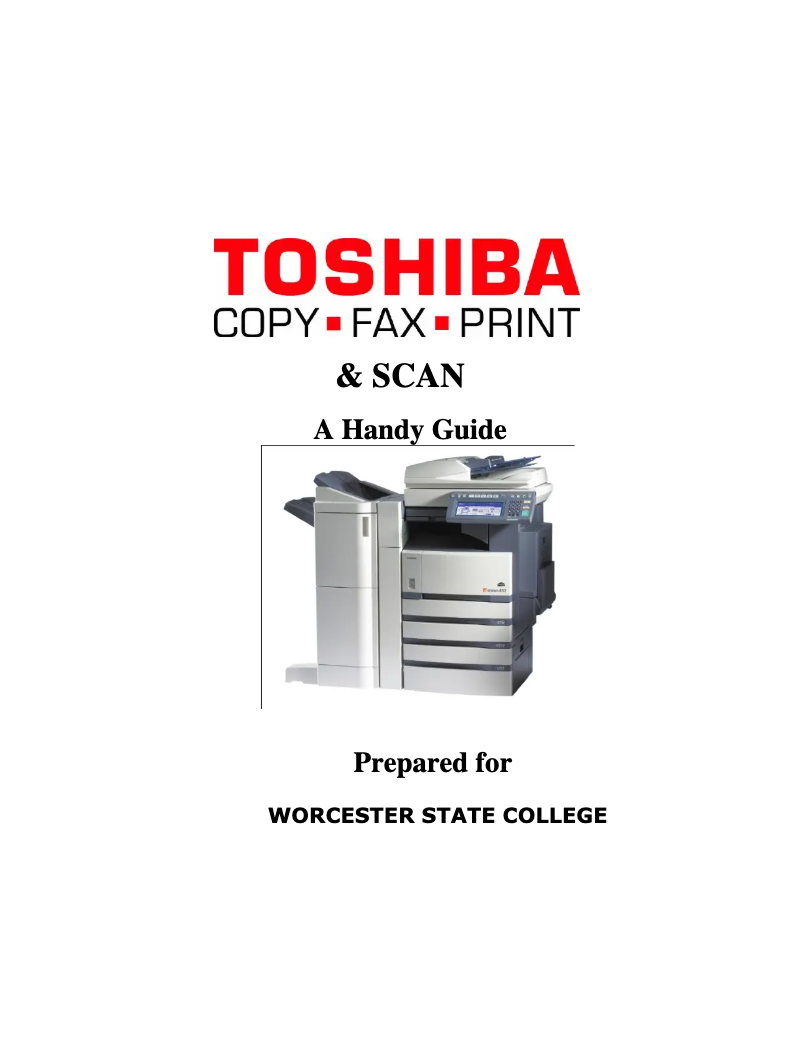
The Toshiba e-studio 353 is a printer that stands out for its optimal performance, offering exceptional print quality that ensures professional results. The reliability of the Toshiba brand is an asset, as it assures users of a durable and trustworthy product. Moreover, its ergonomic design and intuitive features enhance the user experience, thus facilitating efficient daily use. However, this model has some drawbacks. Its purchase cost can be high, representing a significant investment for small businesses or individual users. Additionally, the size and weight of the printer may pose space issues in small offices, requiring a dedicated surface for its installation. Some advanced features, such as scanning or wireless connectivity, are limited compared to other newer models, which may disappoint some users. Finally, the user interface may not be intuitive for everyone, making navigation through the settings a bit complex. In terms of support, the printer comes with a user manual, facilitating a quick start. However, the cost of ink cartridges and replacement parts can lead to long-term expenses, which should be considered when making a purchase. In summary, the Toshiba e-studio 353 is a solid choice for those seeking superior print quality, but it is important to consider both initial and long-term investments before making a decision.Score details
User experience
The user experience is enhanced by intuitive features and an ergonomic design, but the interface may not be intuitive for everyone, making navigation complex for some users.
Performance
The Toshiba e-studio 353 offers optimal performance with exceptional print quality, ensuring professional results with every use.
Value for money
The purchase cost can be high, representing a significant investment for small businesses or individual users, not to mention the long-term expenses related to ink cartridges.
Design
The design is ergonomic, but the size and weight of the printer can pose space issues in small offices.
Support
The product comes with a 14-page user manual, allowing for quick familiarization and easy access to necessary information.
Features
Although versatile and suitable for various work environments, some advanced features like scanning or wireless connectivity may be limited compared to other newer models.
Advantages
Exceptional print quality
Reliable and durable brand
Intuitive and ergonomic use
User manual included
Suitable for various work environments
Disadvantages
High purchase cost for small businesses.
Bulkiness in small spaces.
Limited advanced features compared to competitors.
High cost of cartridges and parts.
Non-intuitive user interface.
Technical Specifications e-studio 353
General Information
-
ModelE-STUDIO 353
-
Brand
-
Category
-
Type
-
SKU86857
-
MPN86857
Frequently Asked Questions
What is the recommended method for removing jammed paper from the printer?
Why is my printer not recognizing the original cartridges?
What are the reasons for poor print quality?
What are the differences between a laser printer and an inkjet printer?
Why is my inkjet printer leaving black streaks on prints?
What does the term DPI mean?
Is the manual for the Toshiba e-studio 353 available in French?
Similar products


More product categories from brand Toshiba
Home appliances Toshiba
Audio Toshiba
Phones Toshiba
Other Toshiba
Interior Toshiba
More product types from brand Toshiba








Presentation of product e-studio 353 specifications from brand Toshiba
General Information
The Toshiba e-studio 353 printer is a device from the renowned brand Toshiba, known for its excellence and innovation in the office equipment sector. This model, the e-studio 353, is designed to deliver remarkable printing performance, ensuring professional-quality results with every print.
Featuring an ergonomic design and intuitive features, the Toshiba e-studio 353 enhances the user experience and promotes increased productivity in various work environments, whether in offices or home workspaces.
Additionally, this device comes with comprehensive documentation, including a user manual, facilitating quick familiarization and smooth access to the necessary information for its operation.
Advantages
- Exceptional performance: The Toshiba e-studio 353 delivers superior print quality, ideal for professional work.
- Brand reliability: Toshiba is known for the durability and performance of its products, ensuring long-term trust in this device.
- Intuitive use: Its user-friendly interface and ergonomic design make daily use easier, thus increasing work efficiency.
- Versatility: This model is suitable for a variety of applications, meeting the diverse needs of users, whether in business or at home.
Disadvantages
- Acquisition cost: The purchase price of the Toshiba e-studio 353 can represent a significant investment for small businesses or individual users.
- Dimensions: Its size and weight may require dedicated space, which can pose challenges in cramped offices.
- Limited features: Some advanced options, such as scanning or wireless connectivity, may not be as developed as in newer models.
- Consumable costs: Ink cartridges and replacement parts can lead to high expenses in the long run.
- User interface: Navigating the settings may not be intuitive for all users, which could result in a learning curve.


